- WordPress
WordPress Website Launch Checklist: 31 Things to Check Before Your Site Goes Live

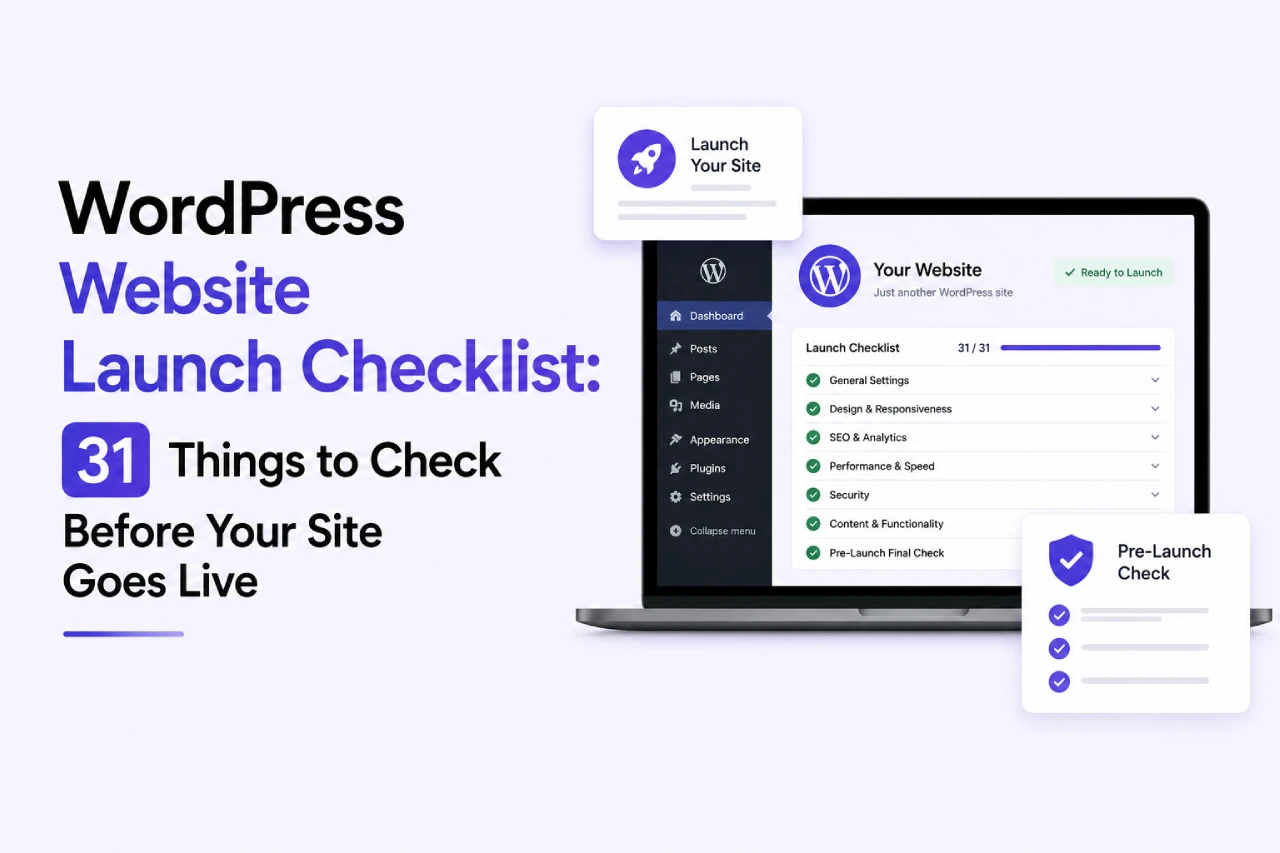
There is a specific kind of quiet dread that arrives around 4pm on the day a new WordPress site is meant to go live. The client is excited. The team has been building for months. And somebody quietly realises they never actually confirmed whether the contact form is sending emails to the right inbox, or whether the site is still blocking search engines from the staging environment. That specific dread has been the origin story of quite a few small disasters over the years.
What follows is a proper checklist for anyone about to push a new WordPress site live at some point in 2026. There are 31 items in total, grouped into the categories that actually matter in practice. It has been written for SME owners and website managers to work through, not for developers. Nothing on the list requires touching code. What it does require is a bit of patience, along with a willingness to properly work through the whole thing rather than just trusting that everything will be fine on the day.
Save this post before your next launch. Then work through it methodically the day before go-live, ideally across a couple of focused hours. Every item you tick off is a small potential disaster averted.
Content Checks (Items 1 to 7)
The content layer is where most launch embarrassments actually hide. Not the technical stuff. The ordinary content stuff that seems too obvious to check, and then somehow turns out to be broken on go-live day.
Item 1: Every Page Actually Has Real Content
Placeholder text has this strange habit of surviving weeks of design revisions before ending up sitting on the live site. Read every page top to bottom on launch day itself and check that any Lorem Ipsum has actually been swapped out everywhere. The usual hiding places for leftover placeholder text are the About page, the footer bio, service page intros, and blog category descriptions.
Item 2: Contact Details Match the Business Reality
This one sounds obvious enough that it gets skipped, and then quietly bites. The phone number sitting on the site needs to be the current one. Whatever email address is listed needs to reach a monitored inbox, and the physical address had better be right, particularly if the business happens to have moved recently. Wrong contact details on launch day are the sort of error that quietly damages trust for weeks before somebody inside the business actually notices what has happened.
Item 3: Author Bios and Team Photos Are Current
If your website features staff, check every name against the current team and every photo against the current person. Someone will always have left in the past six months. Somebody else will have a new headshot they meant to send you and forgot.
Item 4: Legal Pages Exist and Are Actually Legal
The Privacy Policy needs to genuinely cover how the business handles data under GDPR. Terms and Conditions should be tailored to what the business does, not copy-pasted from a template that references somebody else’s trading name. Cookie Policy needs to match what the site actually deposits on visitors.
Item 5: 404 and Thank You Pages Work Properly
Type a broken URL manually and see what happens. Submit a test form and watch the redirect land somewhere sensible. Both pages should feel branded and give the visitor a next step, not a dead end.
Item 6: Broken Links Have Been Hunted Down
Run the entire site through a link checker before launch, using something like Broken Link Checker or a free Screaming Frog crawl. What tends to turn up is a mix of old internal links pointing at pages that no longer exist on the site anymore, alongside external links to third-party sites that have since gone offline in the years since somebody first added them. Both categories quietly break user trust every time somebody clicks one.
Item 7: Images Have Descriptive Alt Text
Every meaningful image sitting on the site needs alt text describing what the image is actually showing. Two reasons this matters. Accessibility tools rely on alt text to describe images to visitors who cannot see them. Google also reads alt text as a genuine content signal that feeds into how the page ranks in search. Missing alt text tends to be one of the single most common items left half-finished on launch day.
Design and UX Checks (Items 8 to 13)
This whole layer is essentially where the website earns its first impression on visitors, or fails to. That makes the checks matter quite a bit more than the small amount of time they actually take to run through properly.
Item 8: The Site Looks Right on Actual Phones
Chrome DevTools mobile view is not the same thing as testing on a real phone, however tempting it is to pretend otherwise. Load the site on an actual iPhone. Then load it on an actual Android too. The two operating systems handle certain CSS properties in subtly different ways, and there is honestly no reliable way to catch the resulting problems without touching real devices before pushing live.
Item 9: Fonts and Colours Are Consistent Across Pages
Copying content into a new theme sometimes carries formatting over from wherever it came. Watch for pages where the heading font suddenly changes, or where a paragraph appears in a slightly different shade of grey. This kind of drift quietly signals a business that does not pay attention to detail.
Item 10: The Site Loads Fast Enough
Take the homepage and run it through Google PageSpeed Insights before launch. If it comes back scoring under 60 on the mobile side, that number needs work before the site goes public. Two things tend to be the main speed killers on brand-new WordPress sites. Hero images that got uploaded at full resolution are one common culprit, and having too many plugins loading on every single page tends to be the other.
Item 11: Navigation Menus Include Every Live Page
Cross-check the full site map against what actually appears in the header menu. Do the same against the footer, then check any mega menus running on the site. Any page that technically exists but is missing from navigation might as well not be there at all, as far as most visitors are concerned.
Item 12: Calls to Action Send Visitors Somewhere Useful
Every button on the site wants clicking, and the destination each one lands on needs to sanity-check against what the button text is promising. A “Book Now” button that ends up landing the visitor on the homepage instead of a proper booking flow is exactly the sort of thing that kills conversions the second the site actually goes live.
Item 13: Favicon Displays in the Browser Tab
The tiny icon sitting in the browser tab is trivial to configure, and yet somehow more than half of new WordPress sites end up launching without one. Get the favicon uploaded properly, clear your cache once it is in place, and then verify it actually appears across a few browsers before signing anything off. Chrome is the obvious one to check. Safari and Firefox are the two others worth confirming on.
Technical and Performance Checks (Items 14 to 20)
The technical layer is honestly where the biggest quiet disasters tend to sit hidden. That is because problems in this category often stay invisible for weeks after launch, right up until somebody in the business finally works out why the traffic they were expecting has never actually shown up.
Item 14: The Search Engine Blocker Is Turned Off
This is honestly the single most common launch mistake in WordPress, and every developer working with the platform has made it at least once. Go into Settings, then click into the Reading tab, and check the “Discourage search engines from indexing this site” checkbox is properly unticked. Miss this particular one and your brand new site sits invisible to Google for however long it takes for somebody to notice something is off.
Item 15: SSL Is Active and Configured Properly
The site needs to be running over HTTPS by launch day. On top of that, every internal link on the site should be pointing at proper HTTPS URLs rather than falling back to older HTTP versions. Most modern hosting providers include a free Let\’s Encrypt SSL certificate baked into the standard setup. Getting it activated before the launch happens is one of those things that is basically non-negotiable at this point in 2026.
Item 16: 301 Redirects From Any Old URLs Are In Place
Where the new launch is replacing an existing site, every old URL that was generating meaningful traffic before needs a proper 301 redirect pointing to its new equivalent on the launched site. Skip that step and years of accumulated SEO equity honestly just vanishes overnight, which usually takes a fair chunk of the previous site\’s Google rankings down with it.
Item 17: XML Sitemap Exists and Has Been Submitted
Whichever SEO plugin the site happens to be running will generate a sitemap automatically. Yoast handles this, so does Rank Math, and any other reasonable SEO plugin does the same. Have a look and confirm the file is actually loading at yoursite.com/sitemap.xml. Once that is verified, submit it through Google Search Console under the Sitemaps section on launch day itself.
Item 18: Robots.txt Allows Indexing of Real Content
Head to yoursite.com/robots.txt and actually look at what the file contains. A lot of development environments block absolutely everything by default, and forgetting to reset that file on launch day is what quietly stops Google from crawling any of the new site.
Item 19: Backup Systems Are Live
Automated daily backups need to be running from day one, with copies stored off the main hosting server. UpdraftPlus, BackWPup, or whatever your host provides all work well. The moment the site is live and taking real data, this becomes essential rather than optional.
Item 20: WordPress Core, Theme, and Plugins Are Current
Every element sitting inside the WordPress install should be running the latest stable version at launch. Old plugin versions carry security vulnerabilities. Outdated themes sometimes conflict with newer WordPress core versions in ways that quietly break the site.
SEO Checks (Items 21 to 26)
These are the checks that determine whether the site actually starts ranking after launch, or drifts along invisibly for months while somebody works out what is going wrong.
Item 21: Every Page Has a Unique Title and Meta Description
Titles should be coming in under 60 characters each, with meta descriptions sitting under 156 characters. Every single page on the site needs both fields written properly, and each one should reflect what that specific page is actually about rather than being copied out of a template applied uniformly across the site.
Item 22: Heading Hierarchy Is Logical
One H1 per page. H2s for main sections. H3s nested underneath where useful. Skipping levels or using multiple H1s confuses both accessibility tools and search engines.
Item 23: Structured Data Has Been Added and Tested
At minimum the site needs Organization schema and BreadcrumbList schema across the whole thing. Local businesses need LocalBusiness schema too. Run any structured data through Google’s Rich Results Test before launch to catch validation errors.
Item 24: Open Graph Tags Are Set for Social Sharing
When somebody goes to share one of your pages on Facebook, the preview image plus description should properly match what the page is about. Same story if they share it into LinkedIn, or drop it into a WhatsApp chat. Yoast handles this configuration well, and Rank Math handles it the same way, provided either plugin is set up correctly. Give the result a test through the Facebook Sharing Debugger before pushing the launch live.
Item 25: URL Structure Uses Clean Slugs
Verify permalinks are set to the Post Name option rather than Plain or Numeric. Every URL should be short, readable, and reflect the page content. Ugly URLs hurt shareability and rankings simultaneously.
Item 26: Analytics and Search Console Are Connected
Google Analytics 4 needs to be firing correctly by launch, which you can properly verify using the DebugView feature inside GA4 itself. Over on Search Console, the domain needs to be verified, and the sitemap needs submitting through it. Both of these systems have to be live and running on launch day, rather than something you get around to setting up a week or two after the site is already public.
Security and Post-Launch Checks (Items 27 to 31)
The final items sit at the intersection of security and the first days of live operation, where the site is quietly at highest risk from both attackers and its own launch quirks.
Item 27: Strong Admin Passwords Are In Place
The default admin username on WordPress should never actually be left as “admin” on a live site. Every user with any level of access needs a genuinely strong password sitting behind their account. On top of that, two-factor authentication really wants activating on the main admin account before anything else. Setting all of this up is honestly trivial once Wordfence or iThemes Security is installed.
Item 28: A Security Plugin Is Active
WordPress sites launched without a proper security plugin in place get compromised depressingly often. Get a security plugin installed before the launch happens. Wordfence is one solid option to consider. Sucuri is another, along with iThemes Security if that suits the setup. Once installed, configure the basic firewall settings first, then get the malware scanning options turned on to run regularly.
Item 29: Contact Forms Deliver to a Monitored Inbox
Every form on the site needs a test enquiry submitted through it, and each one needs confirming that the submission actually arrives at the right inbox. While you are at it, look at the auto-response the visitor gets back. Make sure it reads sensibly and comes across as properly branded, rather than turning up as a plain-text default with no personality attached.
Item 30: Payment and Booking Flows Have Been Tested End-to-End
Any site accepting payments or bookings needs a live transaction pushed through the full system before launch day. That means running the whole flow end-to-end, confirming the confirmation email actually arrives at the buyer, and checking the record then shows up correctly inside your admin panel afterwards. Nothing kills trust with a new visitor faster than hitting a broken checkout on day one.
Item 31: A Monitoring System Watches the Site After Launch
Get some form of uptime monitoring running once the site is live, using UptimeRobot or something similar. When the site goes down at 3am, the goal is for you to hear about it before any of your customers start complaining. This whole setup honestly takes about ten minutes, and it quietly prevents a genuinely surprising amount of stress further down the line.
How Creative Sweet Handles WordPress Launches and Ongoing Care
We handle WordPress launches for businesses right across Belfast and Northern Ireland. One reason clients keep coming back to us is that we take the whole pre-launch review process properly seriously, instead of treating it as a paperwork formality on the way to going live. Every single one of the 31 items above gets worked through methodically before we hand a finished site over to a client. The launches themselves go noticeably smoother as a direct result of that.
Beyond the launch itself, we also offer ongoing website care packages designed to keep WordPress sites healthy long after go-live. That package covers the hosting side, running on managed WordPress infrastructure. Monthly plugin and core updates sit inside it too, alongside daily backups stored offsite, ongoing security monitoring, and being on hand when something inevitably breaks in an unexpected way. Most SME clients find that outsourcing this whole side of things works out cheaper than trying to keep on top of everything internally, and the sites themselves end up staying materially healthier for it.
If you are planning a WordPress launch, or you have inherited a site that never got its post-launch care sorted properly, that is a genuinely worthwhile conversation to have. Get in touch at creativesweet.net or book a free discovery call, and we will take an honest look at where things sit and let you know what would be worth doing.
Frequently Asked Questions About WordPress Launches
What should I check before launching a WordPress website?
Before pushing a WordPress website live, a few different areas want checking properly. Content accuracy across every page comes first. Mobile responsiveness needs holding up on real devices, alongside proper site speed and a security configuration that is genuinely locked down. On the SEO side, titles and meta descriptions want writing across every page individually. Analytics tracking needs to be firing on launch day. Backup systems have to be running, and the search engine indexing setting on the site needs to be properly unblocked. Running a structured pre-launch check catches the sort of issue that would otherwise embarrass the business publicly on day one.
How long does a WordPress launch review take?
A thorough WordPress launch review typically takes somewhere between three and five hours for a standard SME website. Larger sites carrying e-commerce, membership functionality, or complex integrations tend to need meaningfully longer than that, and running the review across a couple of days often produces better results than trying to do it all in one marathon session.
What is the most common WordPress launch mistake?
The single most common launch mistake is leaving the site set to discourage search engines from indexing it. This setting gets deliberately enabled during the development phase, and then it very often gets completely forgotten about when launch day arrives. The result is that the new site sits invisible on Google for weeks on end, right up until somebody eventually notices something has gone wrong.
Do I need SSL before launching a WordPress site?
Yes, absolutely. Launching a WordPress site without a valid SSL certificate causes modern browsers to warn every visitor that the site is insecure. That warning destroys trust the moment somebody sees it, and it hurts conversion immediately from day one. Modern hosting providers essentially all include free SSL certificates now, whether through Let\’s Encrypt or another comparable service, so there is honestly no reason not to have one activated.
Can Creative Sweet handle a WordPress launch and ongoing care?
Yes. Creative Sweet handles WordPress launches for businesses across Belfast and Northern Ireland, and we also offer ongoing website care packages that cover the whole picture after go-live. That package includes hosting first of all, alongside monthly updates being applied, offsite backups running properly, active security monitoring, and general technical support when something needs looking at. Get in touch at creativesweet.net to discuss what your business currently needs.


Keep reading
- SEO
Somebody in Belfast wakes up on a Tuesday morning with lower back pain that has...
- WordPress
This post is general educational guidance for SME website owners and does not constitute legal...
- Business, SEO
Your Google Business Profile is honestly the highest-leverage marketing asset most SMEs already own, and...