

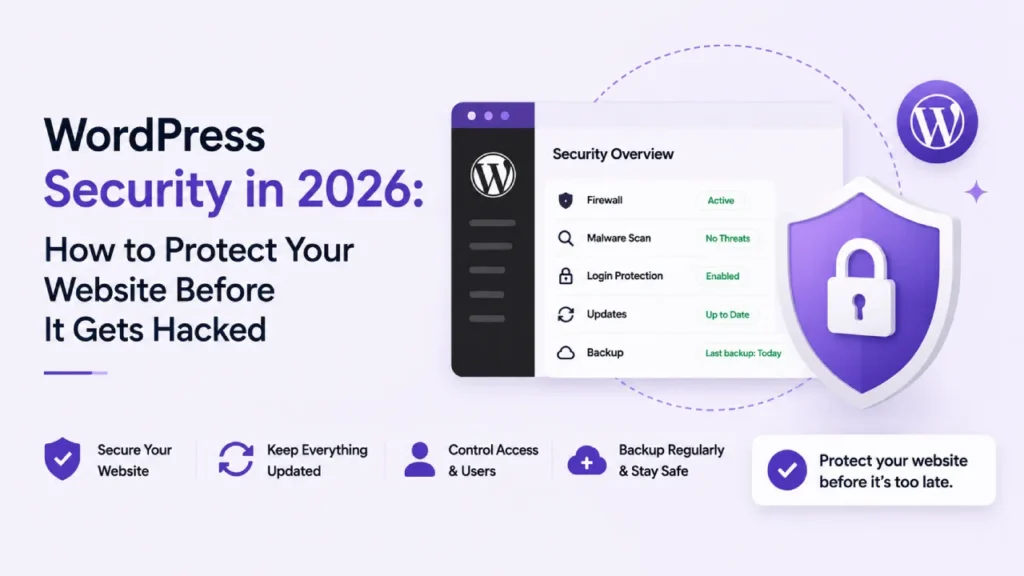
A panicked email lands in our inbox nearly every week from somebody whose WordPress site has just been hacked, and the story behind it is depressingly consistent from one week to the next. The site has been running quietly for years with nobody really paying it much attention. Nothing has ever gone obviously wrong on it, which is exactly why nothing has ever felt urgent. Then one ordinary Tuesday morning the homepage is loading with a stranger’s name pasted across the top of it. Or worse, Google has flagged the whole domain as dangerous and the traffic has just stopped overnight.
The genuinely uncomfortable truth about WordPress security is this. Once a site has already been hacked, none of the fixes are cheap anymore. Recovery bills routinely land somewhere in the hundreds, and sometimes well into the thousands depending on how thoroughly things got compromised. The prevention work that would have kept the whole mess from happening in the first place would have cost a small fraction of that. And yet the majority of SME owners only start thinking seriously about security after something has already gone catastrophically wrong, which is honestly the worst possible moment to try and get on top of it.
So this is a working guide to doing security the other way around. There is no theory here, and no scaremongering either. What follows is just the practical stuff that genuinely keeps a WordPress site safe in 2026, written for an SME owner who would prefer to avoid spending a panicked weekend rebuilding their business website from a clean install.
Why WordPress Sites Get Hacked in the First Place
WordPress powers more than forty percent of the websites on the internet, which is precisely why it sits in the crosshairs of so many automated attacks. Bots are scanning constantly. They look for sites still running old versions of plugins with published vulnerabilities. They look for weak admin passwords they can brute-force their way through. And they look for hosting environments where the underlying server has not been patched in months. None of it is personal. Your site is just one of a few million that the bot will get through today. The sites that end up hacked are the ones that happened to leave a door open somewhere.
The Maintenance Gap That Causes Most Breaches
Plugin vulnerabilities are by some distance the biggest single cause of WordPress hacks. The window between a vulnerability being publicly announced and bots actively exploiting it has shrunk to hours. A plugin that gets a security patch on Monday morning is being attacked on every unpatched site by Monday afternoon. Sites with the patch applied stay safe. Sites where the patch was missed are sitting on a ticking clock. The maintenance gap, not the underlying technology, is genuinely where most breaches happen.
Why Cheap Hosting Adds Another Layer of Risk
Hosting matters far more than most SME owners realise. A budget shared host running hundreds of WordPress sites on the one server is genuinely one compromised neighbour away from being attacked through the back door. Proper managed WordPress hosting isolates sites from each other so that a breach on one cannot spread. It patches the server-level software automatically as vulnerabilities emerge, and it runs intrusion monitoring in the background that catches problems before they ever reach your site. The price gap between the two comes to a few pounds a month in most cases, while the risk gap can be the difference between a working site and a full rebuild.
The Five Things That Actually Keep a WordPress Site Safe
None of what follows is exotic. The exotic stuff makes for interesting blog posts on technical sites, but the boring foundational work is what keeps real SME sites from getting hacked. Here is what genuinely matters in 2026.
1. Hosting That Takes Security Seriously
Every secure WordPress site rests on the hosting environment underneath it. A properly managed WordPress host handles security work at the server level, which is where it belongs. Patches get applied automatically as they become available. Individual sites are isolated from each other so problems on one site cannot spread across the box. And intrusion monitoring runs quietly in the background whether you have logged in this month or not. Cloudways is one example of hosting where security is genuinely treated as the provider’s responsibility. Kinsta operates similarly, as does WP Engine, and all three represent the kind of environment where you are not left holding the security bag on your own.
We have written more on hosting choices in our guide to choosing the best web hosting provider in Belfast, which walks through what to look for and what to avoid.
2. Keeping WordPress, Plugins, and Themes Updated
Updates are the single most important security habit, full stop. WordPress core updates should go in within days of being released. Plugin and theme updates need a weekly review at minimum. Anything sitting on your site that you no longer actively use should be deleted entirely, because deactivated plugins still represent attack surface even when they are switched off. Most SME owners drift on this one. The site is busy, updates feel like a job for later, and later quietly turns into never. The fix is putting the update review on a recurring calendar entry and treating it like paying an invoice.
Why Premium and Nulled Plugins Need Extra Attention
Premium plugins bought from reputable developers usually turn out to be some of the better-maintained pieces of software running on your WordPress site. Where things go badly wrong is with nulled or pirated versions of those same plugins, which often ship with malicious code baked into them from the beginning. Free WordPress software is genuinely the most expensive stuff you can install on your site. The cleanup bill after somebody exploits the backdoor tends to dwarf the licence fee that was originally being dodged.
3. Backups That Have Actually Been Tested
A backup you have never actually restored from is not a backup in any meaningful sense of the word. It is a hopeful file sitting somewhere that may or may not work when you need it to. Proper WordPress backups need three things going for them to count. They need to run automatically on a sensible schedule so nobody has to remember. They need to store copies offsite, somewhere other than the server your live site is running on. And they crucially need to have been tested, at least once, by somebody actually performing a real restore from them. UpdraftPlus offers this kind of setup at the affordable end of the market. BlogVault handles it well too, as do Solid Backups. The test restore is the bit almost every site owner skips, and it is also the bit that turns out to matter most when a real hack lands at 11pm on a Saturday.
4. Locking Down Login Access
The wp-admin login page is the front door of your entire WordPress site, and bots try millions of password combinations against that door every single day. Turning on two-factor authentication for every admin account kills nearly all of those attempts at the doorstep. Anything the bots manage to slip past gets stopped by strong unique passwords generated and stored inside a password manager rather than reused across the internet. Now while you are logged in there, take a proper look at your user list too and remove anybody who has no ongoing reason to be on it. That freelance developer you brought in for a project back in 2022, still sitting with admin rights? They are a live security risk today, whatever the sentimental reason for leaving the account in place was.
5. A Firewall and Malware Scanner Running Quietly in the Background
A web application firewall sits between your website and the wider internet, blocking malicious requests before they ever reach your WordPress install itself. Wordfence is one well-known option in this space, along with Solid Security and All-In-One Security, and all three come with reputable firewall and malware scanning built in as standard. Certain managed hosts include equivalent protection baked in at the server level, in which case running a separate plugin can occasionally be overkill. Whichever route you take, having something quietly watching for bad traffic in real time is significantly better than the alternative of hope combined with weekly logins to see if anything looks off.
What to Do If Your WordPress Site Has Already Been Hacked
If you are reading this because the worst has already happened, take a breath first. A hacked WordPress site is recoverable in almost every case, and the sequence of steps is reasonably consistent from one clean-up job to the next. Get the site offline as the very first move, because leaving it up while it is serving malware to visitors makes everything worse. From there, a clean backup taken from before the compromise is your best route to a fast recovery, if you have one available. Without one, the recovery job gets considerably more involved and usually means bringing in somebody who specialises in WordPress clean-up. The most important step after any recovery, though, is finding and closing whatever vulnerability let the attack land in the first place. Restoring the site without doing that just resets the clock until the next hack happens.
When to Call in Professional Help
A hack involving customer data, payment information, or a site Google has flagged as malicious is genuinely worth bringing professional help to immediately. The cost of getting it wrong is much higher than the cost of doing it properly. Cleanup specialists like Wordfence Care or Sucuri offer paid services specifically for this, and a managed hosting provider often has a cleanup option included or available for an additional fee.
How Creative Sweet Handles WordPress Security for Belfast Businesses
We work with businesses across Belfast and Northern Ireland on WordPress hosting and ongoing website care, and security is genuinely the part that worries our clients most. The honest reason it worries them is that they have heard horror stories from friends whose sites were hacked, and they cannot quite tell whether their own site is set up properly or just looks fine on the surface.
Our website care plans are built specifically around stopping that horror story from ever landing on your business in the first place. What that looks like in practice starts with proper managed hosting, so security is handled at the server level rather than piled onto you. Update reviews happen weekly and get carried out by people who can tell which plugin patches need going in on the day and which ones can safely wait until the following week. Offsite backups get taken automatically and get properly tested rather than just quietly accumulating in a folder somewhere. And when something eventually does go wrong, there is somebody to call who already knows your site inside and out and can move quickly, instead of you starting from scratch with a stranger at the worst possible moment.
If your WordPress site has been quietly running for years without anybody paying it much attention, the right moment to check whether everything is genuinely secure is honestly today, well before that panicked email lands in your inbox. Get in touch at creativesweet.net or book in a free discovery call. We will take an honest look at how your current setup is holding up, and give you a straight answer on whether there is anything worth worrying about.
Frequently Asked Questions About WordPress Security
Why do WordPress websites get hacked so often?
WordPress powers more than forty percent of websites globally, which is exactly what makes it such an attractive target for automated attacks in the first place. Most hacks do not actually happen because WordPress itself is insecure. They tend to happen for other reasons. Outdated plugins are a big one. Weak passwords come up constantly. Cheap hosting plays a part, as do sites that have simply gone unmaintained for months at a stretch. It is rarely the underlying technology that fails. It is nearly always the maintenance around it.
What is the single biggest cause of WordPress security breaches?
Outdated plugins are by some margin the biggest single cause of WordPress security breaches happening across the web. Plugin vulnerabilities account for a very significant share of all WordPress hacks. And the gap between a new vulnerability being publicly announced and bots actively exploiting it has quietly shrunk to a matter of hours in most cases, rather than days. Sites that keep their plugins updated on a weekly review cycle end up dramatically safer than the ones running quarterly updates, or the ones that, depressingly often, are barely updating at all.
How much does it cost to maintain a secure WordPress site?
Basic WordPress care plans for an SME site generally start somewhere around £35 to £75 per month. That covers the managed hosting itself, along with weekly update reviews, offsite backups running in the background, and ongoing security monitoring. Recovery from a real hack typically lands somewhere in the hundreds to low thousands of pounds, depending on how thoroughly the site was compromised. So ongoing care almost always ends up working out significantly less expensive than reactive clean-up would, and usually by a comfortable margin.
Do I really need a WordPress security plugin?
For most SME sites the answer is yes. A reputable security plugin like Wordfence covers the essentials well, and both Solid Security and All-In-One Security are solid alternatives worth considering too. Between them the useful functionality comes down to firewall protection, ongoing malware scanning, and hardening on the login side of things, all of which meaningfully reduce risk. Certain managed hosts include equivalent protection built in at the server level, in which case a separate plugin can occasionally be unnecessary, though belt-and-braces protection genuinely rarely hurts anyone.
Can Creative Sweet manage WordPress security for my business?
Yes. Creative Sweet provides ongoing WordPress hosting and website care for businesses across Belfast and Northern Ireland, including security monitoring, regular updates, offsite backups, and rapid recovery if anything ever does go wrong. Get in touch at creativesweet.net to discuss what your site needs to stay properly protected.