

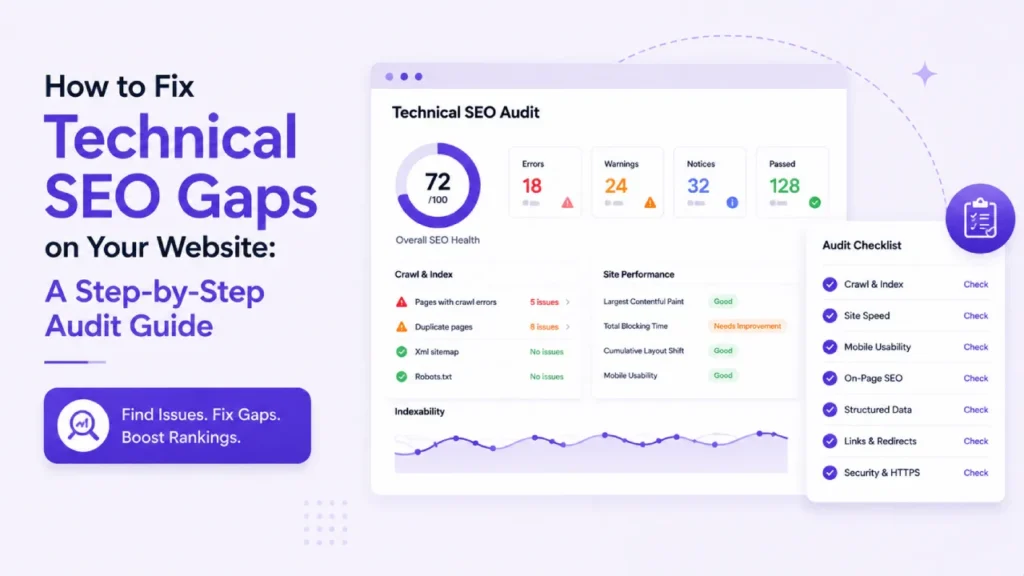
Most SME websites have technical SEO gaps quietly holding them back, and they are rarely the obvious catastrophic sort. More often they are the subtle kind of gap that hides in plain sight. Maybe your pages are loading a second slower than they should be. Perhaps a sitemap got set up back in 2022 and has been quietly forgotten about ever since. There might be structured data errors sitting inside Google Search Console that nobody has looked at in months. Each of these feels minor on its own, but stacked together they add up to the reason your site is stuck on page two of Google when it genuinely belongs on page one.
The frustrating part of technical SEO gaps is that they rarely show up on your dashboard as an obvious red flag. What actually happens is that traffic just gets a little softer over time, and then rankings begin drifting downward for keywords you used to own comfortably, followed by enquiries not arriving quite as reliably as they were a year back. By the point you actually notice something is off, you have already given up months of hard-won momentum to competitors whose sites happen to be quietly better maintained underneath the surface.
What follows is a practical walkthrough of how to actually run a technical SEO audit on your own website. The goal is to find the gaps hurting you most and get them fixed. It has been written for SME owners rather than for professional SEO consultants, which means no walls of jargon along the way, and the assumption throughout is that you do not already know your canonical from your hreflang tag.
Why Technical SEO Gaps Are the Silent Ranking Killer
Google ranks websites on a genuinely complex set of factors, but every one of those factors is sitting on top of the technical foundations underneath. Take a page with brilliant content. If Google cannot properly crawl it, that page is not going to rank however good the writing happens to be. The same principle applies to backlinks. A site carrying strong backlinks can still get outperformed by a technically cleaner competitor sitting at similar overall authority. Technical SEO ends up being the layer that decides whether the rest of your SEO effort actually gets to do the job it was meant to do.
The Compounding Cost of Small Technical Issues
A single slow-loading page is annoying but not fatal on its own. Push that to fifty slow pages across a site and you have got a proper Core Web Vitals problem quietly dragging down the ranking of every other page on the domain by association. The same maths applies to broken internal links. One is nothing. Get to two hundred of them scattered across a site and you are effectively telling Google that nobody is actively maintaining the website anymore, which is the last impression you want going out to the algorithm. Small issues genuinely compound in a way most SME owners underestimate right up until it starts hurting.
Why Most Businesses Never Run a Proper Audit
Running a real technical SEO audit sounds intimidating. Most SME owners either assume their developer is handling it, which they usually are not, or that they need to pay someone thousands to look at it. The truth is that the bulk of a useful audit can be done with a handful of free or cheap tools in a couple of focused hours. What follows is exactly how to do that.
The Step-by-Step Technical SEO Audit for SME Websites
There are five stages to a proper audit for a small business website. None of them are exotic. Work through them in order and you will find the vast majority of what is actually holding your site back.
Stage 1: Get Google Search Console Properly Set Up
Google Search Console is genuinely the single most important free tool in SEO, and it is honestly astonishing how many SME websites are still not properly using it. If yours is one of them, sorting that out is your first job. The setup itself is pretty quick. Verify your site inside Search Console first. Then submit your sitemap through the Sitemaps section. From there, head into the Pages report to see exactly which of your pages Google is currently indexing, alongside the ones it is quietly refusing to index. Every issue that shows up in here is basically Google telling you directly what needs fixing, in fairly plain English. Setting all of this up costs you nothing and takes about half an hour.
What to Look For First in Search Console
Head straight to the Pages report and check the “Not indexed” section carefully. Google lists every page it has chosen not to include in its index here, alongside the reason for excluding each one. The common culprits are pretty consistent from one site to another. You will often find pages accidentally marked “noindex” that were never meant to be excluded. There will typically be pages blocked by the site’s own robots.txt file, plus duplicate content Google has quietly decided to ignore because the same information already exists elsewhere on the site. Anything important that turns up in this list needs fixing before you take another step forward in the audit.
Stage 2: Run a Proper Site Crawl
While Search Console shows you what Google is seeing, a proper site crawler shows you the site itself the way Google actually sees it while crawling. Those two perspectives are subtly different, and you genuinely need both. Screaming Frog is the industry-standard tool for this stage. The free version comfortably handles sites up to 500 URLs, which is more than enough for most SME websites out there. Point the crawler at your homepage and let it work through the entire site. From the report it generates, you can start hunting for the specific kinds of issues that never really surface from an ordinary browser view of the site.
The specific issues to hunt down at this stage are pretty consistent from site to site. Broken internal links returning 404 errors are usually the biggest volume category. Redirect chains, where one page redirects to another which then redirects again before landing on the actual destination, tend to come next. You will also want to look at title tags across pages, since duplicates and missing ones are extremely common on older sites. And pages with no meta description at all is worth flagging separately, because Google will not tell you about most of these issues directly. Each of them is a straightforward fix once you know it exists.
Stage 3: Fix Your Core Web Vitals and Mobile Speed
Page speed is genuinely a properly weighted Google ranking factor in 2026, particularly on mobile. Run your top ten pages through Google PageSpeed Insights individually rather than just testing the homepage. What you are looking for is anything scoring below 60 on the mobile side. Those pages are actively losing rankings to faster competitors, and the fix is often more attainable than you think.
The Most Common Speed Problems on SME Sites
Images tend to be the single biggest culprit on the average small business website. A common finding is a homepage hero image sitting at 4MB in size, when it really should be under 200KB. Fixing that usually just means running the images through a decent optimisation tool. TinyPNG is a popular option for this, and ShortPixel is another workhorse choice, and either one produces a properly compressed version to re-upload. The other frequent problem is having too many plugins doing overlapping jobs behind the scenes, with each plugin quietly adding its own overhead to every single page load. Removing plugins you no longer actively use tends to be a quick win with meaningful impact on speed.
When Hosting Is the Real Bottleneck
Sometimes the real bottleneck is not the site itself. It is the hosting environment sitting underneath it. Cheap shared hosting running dozens of sites simultaneously on the same server produces sluggish response times that no amount of front-end optimisation is going to fix. Your Time to First Byte is a good diagnostic here. If it consistently sits above 600 milliseconds, hosting is probably the culprit, and moving to properly managed WordPress hosting will genuinely be the highest-return single change you can make to your site.
Stage 4: Sort Out Indexing, Sitemaps, and Robots.txt
Stage four intimidates most SME owners more than any of the others, and it honestly should not. Your XML sitemap is essentially a list of the pages on your site that you want Google to index and rank. The robots.txt file is a small text document that tells search engines which parts of the site they are allowed to access in the first place. Get both files right and Google can efficiently discover and rank your important pages the way you want. Get either one wrong and even brilliant content can end up sitting completely invisible to search.
The actual check is fairly straightforward once you know what to look at. Head to yoursite.com/sitemap.xml first and confirm the sitemap loads properly and includes the pages you actually want ranked. Once that is verified, look at yoursite.com/robots.txt to make sure it is not accidentally blocking anything critical to your business. Back inside Search Console, submit the sitemap under the Sitemaps section if that has not already been done at some earlier point. Any URLs sitting in the sitemap that Google is still not indexing warrant a closer look using the URL Inspection tool to find out why.
Stage 5: Fix On-Page and Structured Data Issues
The final stage of the audit is dealing with the on-page issues surfaced by the earlier stages. This part usually produces the longest single list of fixes, though individually each one is generally pretty quick to sort out. Duplicate title tags will each need a unique title written for them. Missing meta descriptions want writing too, ideally coming in under 156 characters each. Anywhere you find thin content sitting on a page, decide whether it can be expanded into something genuinely useful, or whether it would be better simply removing the page entirely. Structured data errors reported in Search Console typically get resolved by fixing the underlying template driving those pages.
Structured Data in 2026
Schema markup has become one of the more important pieces of technical SEO work in 2026, largely because AI search engines now lean heavily on structured data when deciding which businesses to cite inside generated answers. What that means in practice depends on the site. Local businesses want LocalBusiness schema running consistently across every relevant page. FAQ content is worth wrapping in FAQPage schema, and blog posts should have Article schema applied. Testing whatever gets implemented through Google’s Rich Results Test tool catches most issues before they start hurting your rankings.
What to Do After the Audit
An audit that lists fifty issues and then never actually gets acted on is honestly worse than useless. It creates the illusion of progress being made without producing any of the actual work needed to move things forward. The right approach is to prioritise all the fixes by likely impact and then tackle them in order, instead of trying to do everything at once and getting overwhelmed. Speed issues on your top-performing pages usually deliver the biggest measurable lift in rankings, so those are worth starting with. Indexing fixes generally sit next in the priority order. On-page tidying is important too, though it tends to move the needle more slowly than the first two categories of fix will.
The other thing genuinely worth doing is scheduling a lighter monthly review of Search Console going forward. Ten minutes spent checking the Pages report along with any Core Web Vitals alerts catches new issues before they get a chance to compound into something worse. Running one proper full audit annually, combined with those quick monthly check-ins between, keeps most SME websites in genuinely healthy technical shape without much ongoing effort.
How Creative Sweet Handles Technical SEO Audits
We work with businesses across Belfast and Northern Ireland on SEO, and a proper technical audit is usually where any new engagement begins. There is genuinely no point running an SEO campaign on a site with broken foundations underneath. The audit gets us both an honest picture of what is actually happening before any recommendations get made, which tends to save clients from paying for work that would not have moved the needle anyway.
Our audits go deeper than the DIY version above, covering things like server-level configuration, log file analysis, and international SEO where relevant. What comes out is a prioritised list of fixes with realistic effort estimates against each, so you can decide what to tackle in-house and what would be better handled by our team. There is never any pressure to hand everything to us.
If your website is not performing the way it should be, or you suspect there are technical issues lurking without knowing exactly what, that is a genuinely worthwhile conversation to have properly. Get in touch at creativesweet.net or book a free discovery call, and we will take an honest look at your current situation and let you know what would move the needle fastest for your business.
Frequently Asked Questions About Technical SEO Audits
What is a technical SEO audit?
A technical SEO audit is essentially a structured review of the underlying technical factors that shape how your website performs in search. It looks at how crawlable your site is for Google, how the indexing behaviour is set up, whether site speed is holding you back, how the mobile experience performs, whether structured data is in place, and various other elements that decide whether Google can actually find and rank your pages in the first place.
How often should I run a technical SEO audit?
A proper full technical SEO audit is worth running at least once a year for most SME websites, backed up by lighter monthly reviews of your Google Search Console reports in between. Any site currently going through active changes, or partway through a redesign, or in the middle of a migration project, should be getting audited at each major milestone rather than waiting patiently for the annual review to come around.
What are the most common technical SEO issues?
The most common technical SEO issues on SME websites cover a fairly consistent set of culprits. Slow page loading on mobile is probably the most widespread one. Poor mobile usability more broadly comes up a lot too, along with missing or duplicated meta tags across pages. Broken internal links tend to be everywhere on older sites, and indexing problems along with missing structured data round out the top offenders. Each of them quietly erodes your rankings without producing any obvious warning sign that something has started going wrong.
Can I run a technical SEO audit myself?
Yes, most of a basic technical SEO audit can be handled using free tools you already have access to. Google Search Console covers a lot of ground, and PageSpeed Insights handles the performance side of things. A trial version of Screaming Frog will get you through the crawl stage without needing to buy anything upfront. Fixing the deeper issues that surface out of the audit sometimes needs developer help, particularly when the fixes involve server-level configuration work or the more complex structured data implementations.
Can Creative Sweet audit and fix my technical SEO?
Yes. Creative Sweet works with businesses across Belfast and Northern Ireland on technical SEO audits, ongoing SEO campaigns, and the development work needed to actually fix any gaps found. Get in touch at creativesweet.net to discuss what your site currently needs.