

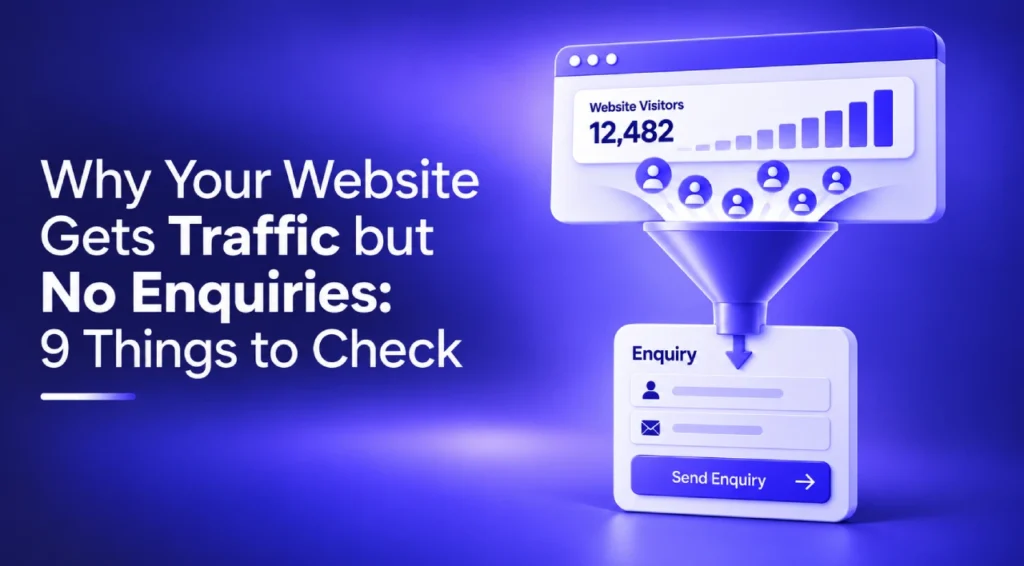
Why does my website get traffic but no enquiries? Traffic and enquiries measure different things. Traffic tells you people found the site. Enquiries tell you it persuaded them to act, and a gap between the two rarely has a single cause. It’s usually some mix of the wrong visitors arriving, a page that doesn’t answer what they searched for, an unclear offer, a site that hasn’t earned trust yet, a CTA nobody notices, or a form, mobile experience or tracking setup quietly getting in the way.
“Improve your CTA” isn’t a diagnosis. Nine separate things can each independently break the path from visitor to enquiry. Below is a working diagnostic, worth checking in order, starting with what your own numbers are telling you.
What Your Numbers Are Telling You
| What You See | Possible Problem | What to Check |
|---|---|---|
| High traffic, low enquiries | Wrong traffic or poor intent match | Search terms and landing pages |
| Good engagement, no enquiries | Weak offer or CTA | Messaging and CTA |
| Mobile traffic, few leads | Mobile UX friction | Forms, buttons, speed |
| Form starts but few completions | Form friction | Fields and errors |
| Leads reported as zero | Tracking problem | GA4/GTM/conversion setup |
The Nine-Point Diagnostic
Each point below covers a different stage: traffic quality, intent, message, trust, the CTA, form friction, mobile, usability, and measurement. A weakness at any single stage can stop the whole thing working, so it’s worth checking all nine.
1. You’re Attracting the Wrong Traffic
Not all traffic is equal. A campaign or keyword can pull in plenty of visits while attracting people who were never going to enquire: students researching a topic, competitors checking pricing, searchers whose need doesn’t match the offer.
Volume hides this problem. Sessions climb, bounce rate looks fine. Enquiries stay flat regardless, and it’s easy to blame the website when the traffic itself is mismatched.
What to check: which keywords, ads or referral sources drive the most sessions, and whether those sources historically produce enquiries. Segment by channel in GA4 instead of reading the aggregate number.
What to fix: tighten paid targeting, add negative keywords, and review whether broad organic terms pull in the wrong audience. Sometimes the honest fix is accepting a keyword brings visits but was never going to bring customers.
2. Your Landing Page Doesn’t Match Search Intent
A visitor who searches “emergency plumber near me” and lands on a general homepage has already half left. CRO practitioners call this message match: the page needs to continue the exact promise that earned the click.
Mismatched intent wastes good traffic fast. The visitor isn’t confused about your business, they’re just not sure this page answers their question, and most won’t stick around to check.
What to check: take your top five landing pages by traffic and read them as the searcher who clicked would. Does the headline answer the query? Does an ad’s promise appear on the page it links to?
What to fix: build pages that each answer one specific intent, rather than routing every click to the same generic page. Different search terms often need different pages, not just different traffic funnelled into one.
3. Your Value Proposition Isn’t Clear
Visitors decide whether to stay within seconds, and what decides it is simple: can they tell what you do, and is it obviously relevant to them? If not, most just leave.
A vague headline is the usual culprit. “Innovative solutions for modern businesses” tells a visitor nothing. What they need is a specific answer to what this does for someone like them.
What to check: cover your homepage headline and ask a colleague outside the business to explain what you do and who it’s for in one sentence. If they can’t, visitors can’t either.
What to fix: rewrite the headline to name the service and the outcome, not the jargon. Support it with a subheading that answers the obvious next question, usually cost, process or how fast you can help.
4. Visitors Don’t Trust the Business Yet
Trust is often invisible until it’s missing. Nielsen Norman Group’s research on web credibility has found that design quality, from typography down to broken links and typos, is one of the strongest signals users rely on when judging trustworthiness.
Without visible trust markers, an interested visitor will often decide the risk of contacting an unfamiliar business isn’t worth it, especially for anything involving payment or a home visit.
What to check: does the site show real, checkable evidence of who’s behind it? Named staff, verifiable reviews, recognisable clients and relevant qualifications all count. Stock photography and generic claims don’t.
What to fix: add specific, checkable proof, not just general reassurance. A named team member with a real photo does more than an “About Us” paragraph. Genuine reviews with names outbid a star rating with no source.
5. Your CTA Is Weak or Hard to Find
A call to action buried in the footer, worded as “Learn More,” or repeated identically down a long page, isn’t really guiding anyone. Visitors ready to act need one obvious next step.
The cost here is subtle: interested visitors exist and the message has landed, but nothing tells them what happens if they click, or where to click at all.
What to check: scroll through your key pages and count how many actions compete for attention. Is there one obvious CTA, or several fighting each other? Does the wording describe an outcome, or just an action like “Submit”?
What to fix: settle on one primary action per page, place it where it’s visible without scrolling, and word it around the outcome, not the mechanics.
6. Your Enquiry Form Creates Friction
Baymard Institute’s usability research, built from over a decade of testing form flows, consistently finds that the number of fields a user must deal with, more than the number of steps, drives abandonment. The same principle applies to enquiry forms.
A form asking for a phone number, preferred contact time and a detailed message before someone has decided to trust you is asking for commitment too early.
What to check: open your own form on a phone and count the fields. Some are genuinely required to respond. Others just seemed useful to someone at some point.
What to fix: cut the form to what’s needed for a first response: name, contact detail and a short message. Anything else can be a follow-up question.
7. Your Mobile Experience Is Letting You Down
Most enquiry-driven sites now see the majority of traffic arrive on mobile, yet plenty are still built and tested mainly on desktop. A button that’s easy to click with a mouse cursor is often surprisingly hard to hit with a thumb. Forms built with a keyboard in mind get fiddly fast on a touchscreen.
This shows up clearly in the numbers: mobile sessions with a noticeably lower enquiry rate than desktop, even with identical content.
What to check: use the site on an actual phone, on mobile data, not office wifi, not just a browser preview. Try filling in the enquiry form with one thumb.
What to fix: increase tap target sizes, simplify mobile navigation, and make sure the CTA and form are reachable without excessive scrolling or pinching to zoom.
8. Your Site Is Slow or Difficult to Use
Google’s research into mobile landing pages found that as load time increases from one second to ten, the probability of a visitor bouncing rises by over 120%. Speed and clutter directly affect whether someone stays long enough to enquire.
A sluggish, cluttered site loses visitors at the door. It also quietly undercuts the sense of professionalism that trust further down the page depends on.
What to check: run your key pages through Google PageSpeed Insights, paying attention to the mobile score specifically, since it’s often considerably worse than desktop.
What to fix: compress images and cut unnecessary scripts or pop-ups. Pages trying to say too much at once are usually worth simplifying too. A faster, calmer page outperforms a busier one.
9. Your Conversion Tracking Isn’t Complete
Sometimes there isn’t a conversion problem at all, just a measurement one. In GA4, form submissions and calls only count as conversions if marked as Key Events, and it’s common to find sites where this was never done.
This one matters because it hides every other problem on this list. If enquiries aren’t tracked accurately, you can’t tell whether a fix elsewhere actually worked.
What to check: submit a test enquiry and watch GA4’s DebugView to see whether the event fires, and whether it’s marked as a Key Event.
What to fix: audit your GA4 and Google Tag Manager setup, and confirm the enquiry event is genuinely tied to a form submission or confirmed call. Duplicate or inflated events that distort the numbers are worth removing at the same time.
Traffic but No Leads Checklist
Work through these quickly to spot where the gap most likely sits:
- Are you ranking or advertising for terms that genuinely match what you offer?
- Does your landing page answer the exact question that brought the visitor there?
- Could a stranger explain what you do and who it’s for within five seconds?
- Can a visitor find specific, checkable proof it’s a real, credible business?
- Is there one clear action you want visitors to take on every key page?
- Does your enquiry form ask for more than it needs at this stage?
- Have you personally tested the site on a phone, on mobile data?
- Is your homepage actually fast on mobile data, not just office wifi?
- Is a genuine enquiry marked as a Key Event in GA4, and have you tested it?
Is This a Traffic Problem or a Website Problem?
Worth separating these, because the fix differs. More SEO or ad spend only helps if the website can convert the traffic it already has. Sending more visitors to a page with a mismatched offer or an unfinished form just means more people bouncing off the same broken step.
Several of the nine points above point to a website or CRO issue, not a search one. A landing page that doesn’t reflect intent needs a rebuild, not new keywords. If a form is where people abandon, fewer fields help more than extra traffic. And a poor mobile score is a design problem no ad campaign will fix.
This is usually where a structured look at the site itself helps most, covering things like:
- landing page redesign
- clearer information architecture
- stronger CTAs and simplified forms
- conversion-focused copy
- analytics set up properly so decisions rest on real data
If several of the nine checks raised questions, a Website Conversion and CRO Audit is usually the fastest way to see where visitors are dropping out, and which fixes matter most first.
Frequently Asked Questions
Why is my website getting traffic but no leads?
Usually one of nine factors: traffic quality, intent match, message clarity, trust, the CTA, form friction, mobile, speed, or tracking.
Why does my website get traffic but no conversions?
The same nine factors apply. A visitor arrives but doesn’t take the action you need them to take.
How do I turn website traffic into leads?
Diagnose which point is actually broken, using your analytics to match the symptom to the likely cause, then fix that specific stage instead of changing everything at once.
How can I improve my website conversion rate?
Fix the weakest link first. Speed doesn’t matter much if visitors never spot the CTA, and the CTA doesn’t matter if the form behind it falls apart.
Why are people visiting my website but not contacting me?
Usually unclear messaging, missing trust signals, or a CTA and form that create more friction than the visitor will push through.
Most underperforming sites have two or three of these issues compounding at once, which is why a structured audit tends to find more than a quick glance does.